
Volunteer scheduling for churches
Serve Teams brings volunteer scheduling to your church’s WordPress site. Build teams and positions, let auto-schedule fill your services, and send reminders by email or text. Volunteers get a personal link to accept, decline, find a sub, or sign up for open spots. No app, no password, and no Planning Center subscription.
Coming soon. Want to try it at your church first? Let me know.
How it works
1. Set up your teams
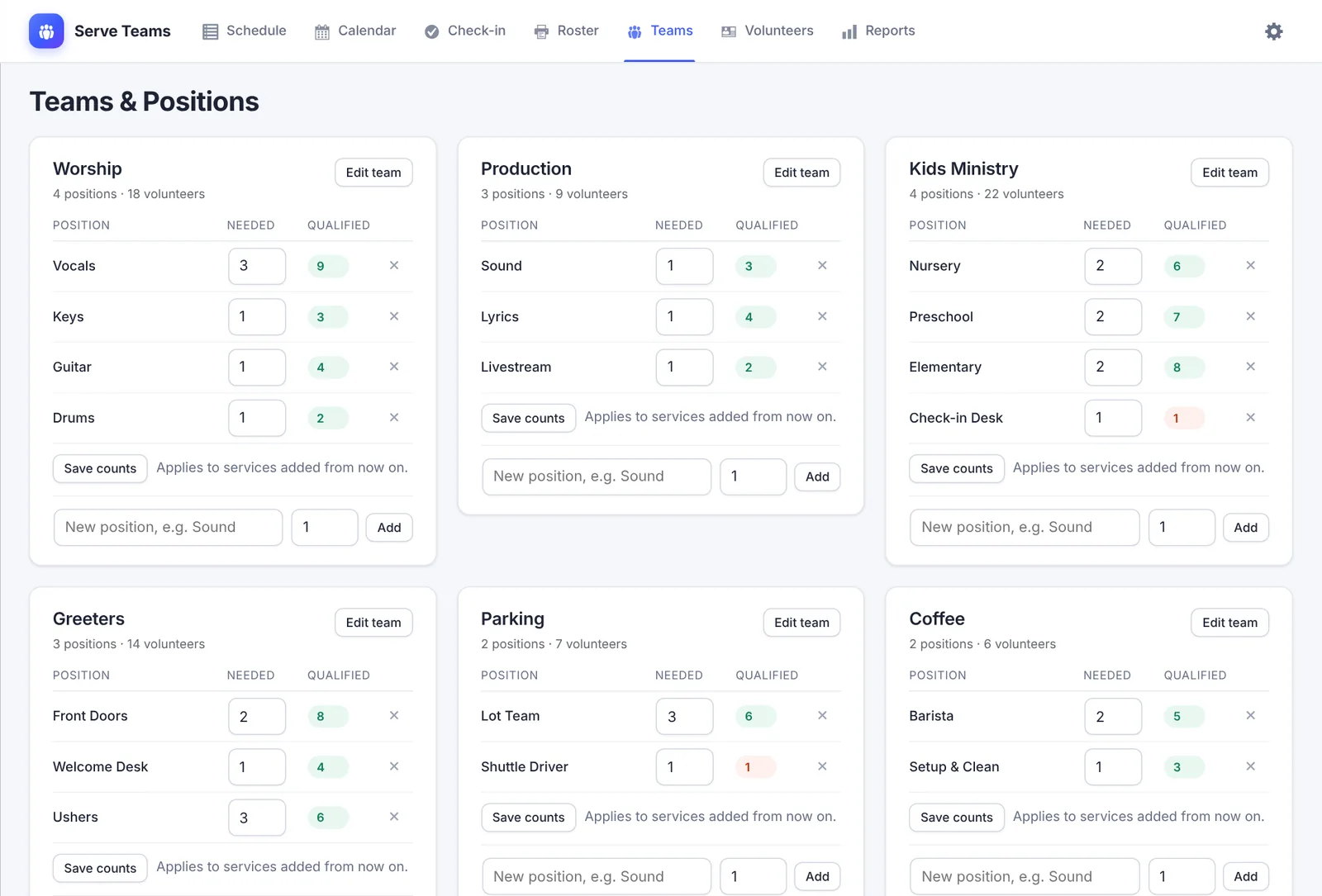
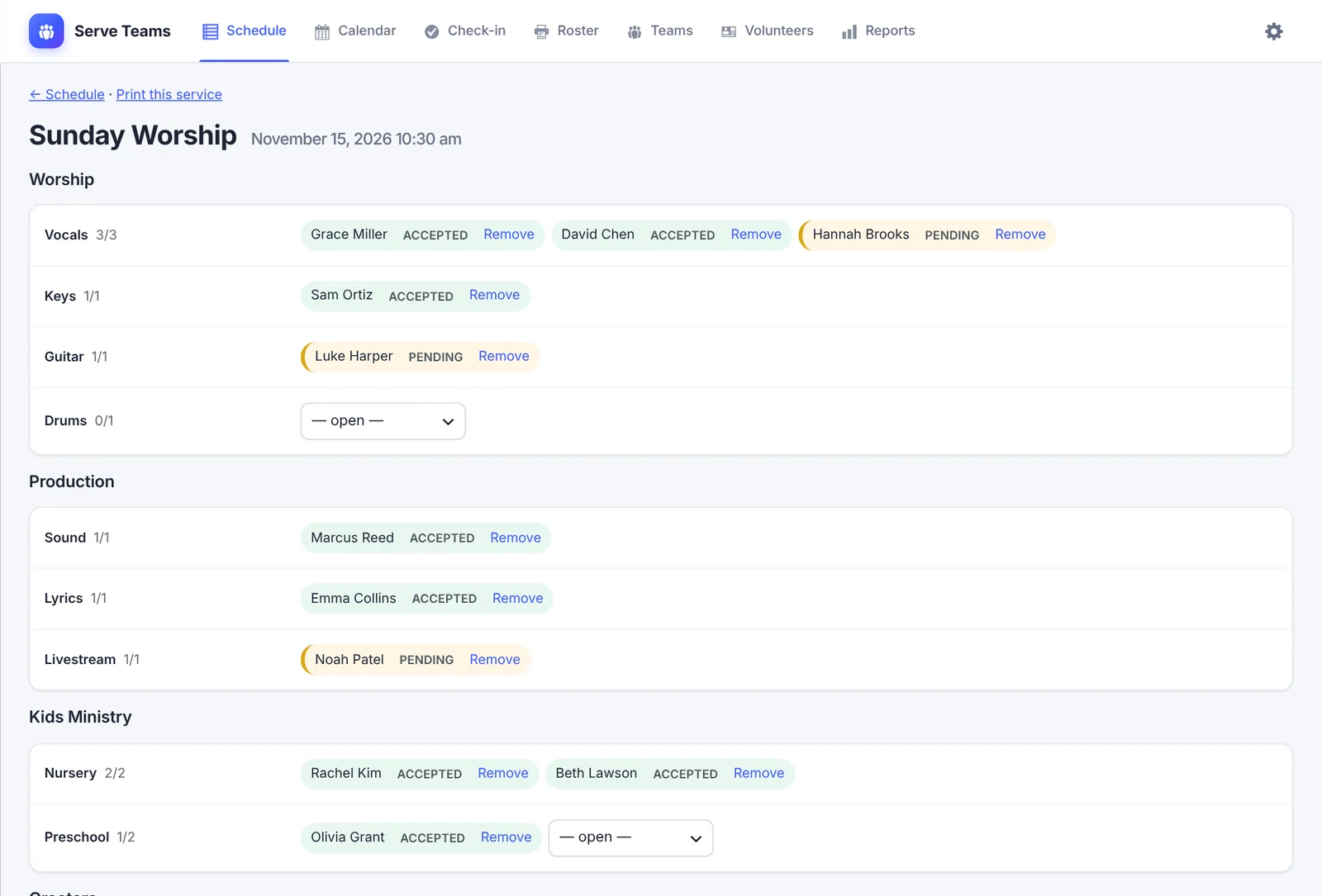
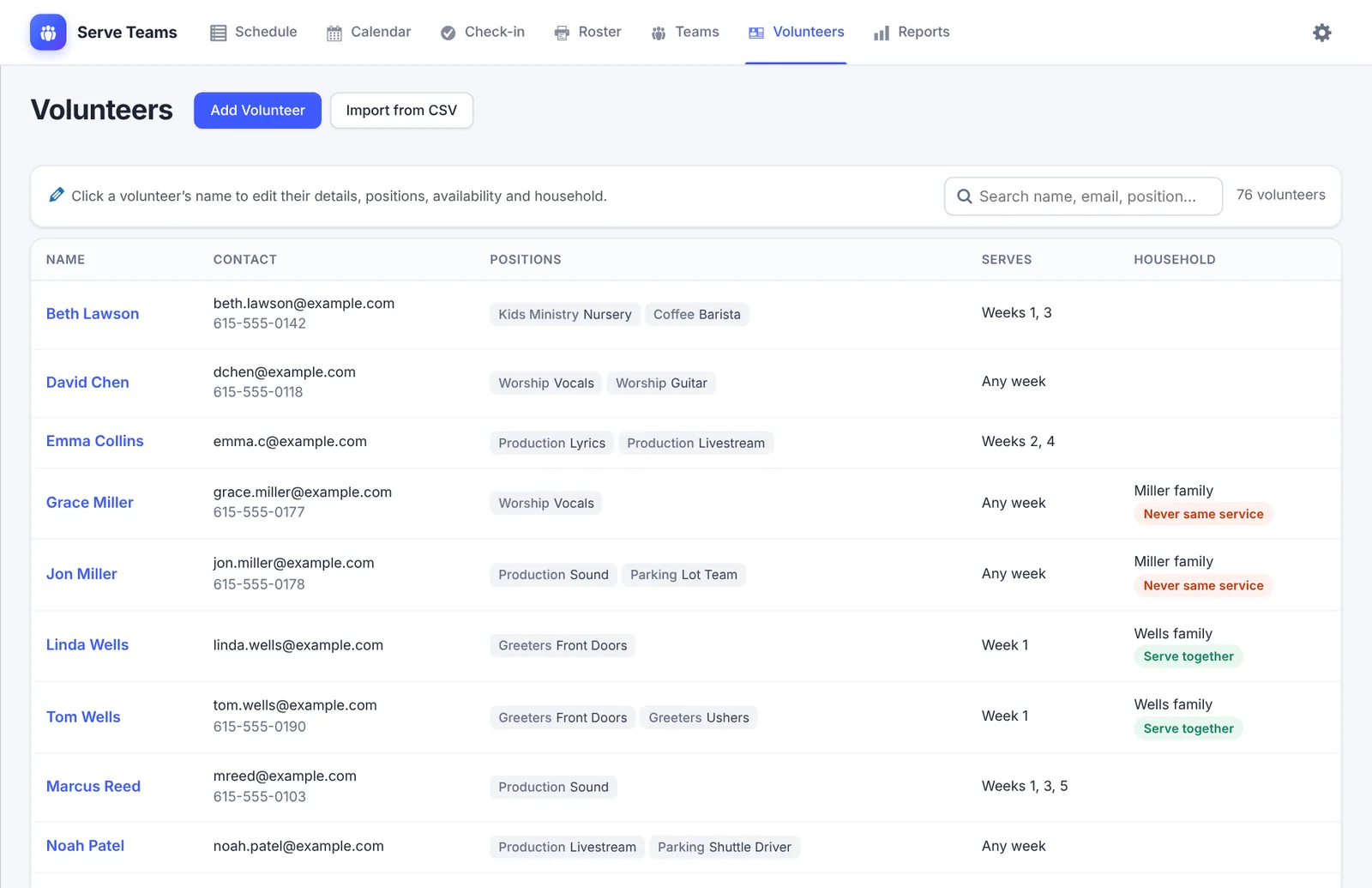
Add teams like Worship, Kids, Greeters, and Parking, the positions in each, and how many people each service needs. Import volunteers from a spreadsheet.
2. Fill the schedule
Auto-schedule fills the hardest-to-staff positions first and works around away dates, preferred weeks, and household rules. You can always assign people by hand.
3. Volunteers reply
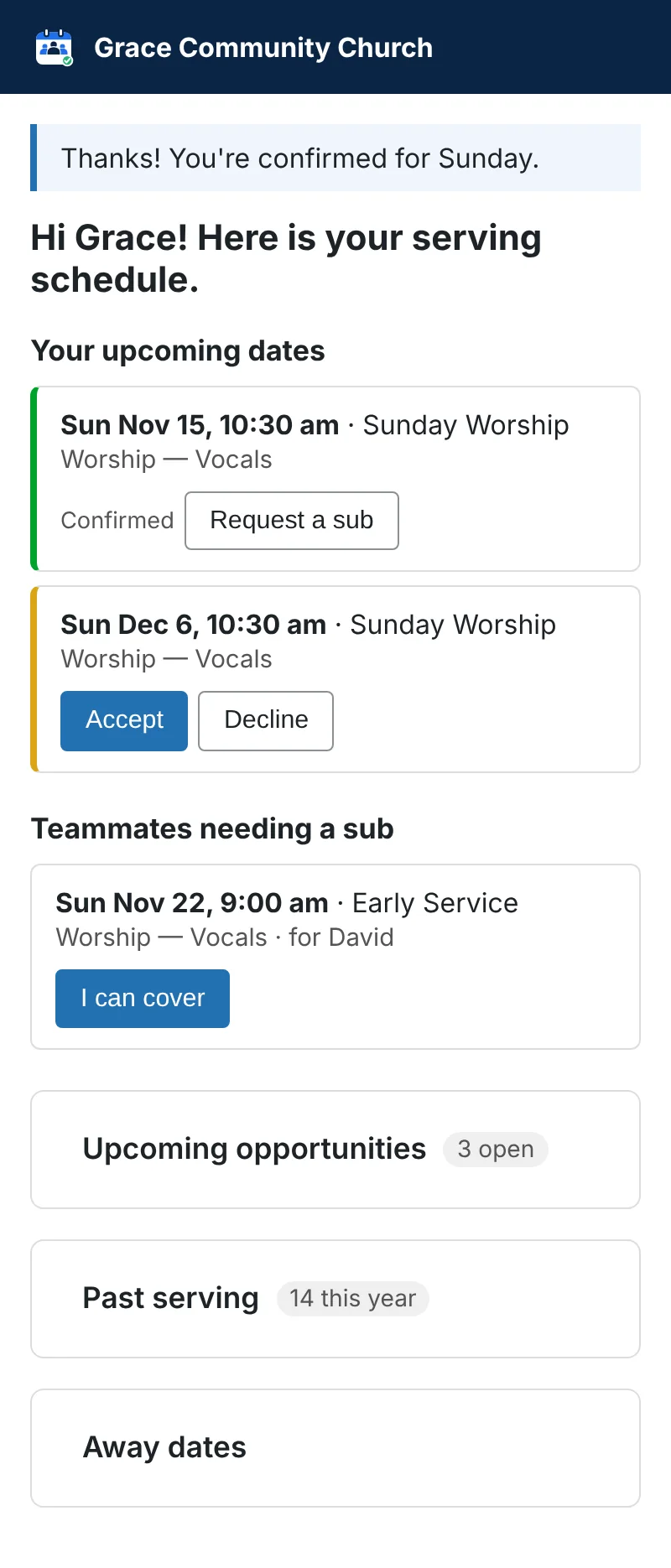
Each volunteer gets an email with their own link. One tap to accept, decline, or ask for a sub, and reminders go out before every date.
For volunteers
- No login. A private link in their email always shows their schedule, on any phone.
- Accept or decline each date with one tap.
- Find a sub. Teammates are emailed, and the first one to claim it is in.
- Sign up for open spots, including other positions and service times that week.
- Add away dates and pick which weeks of the month they prefer to serve.
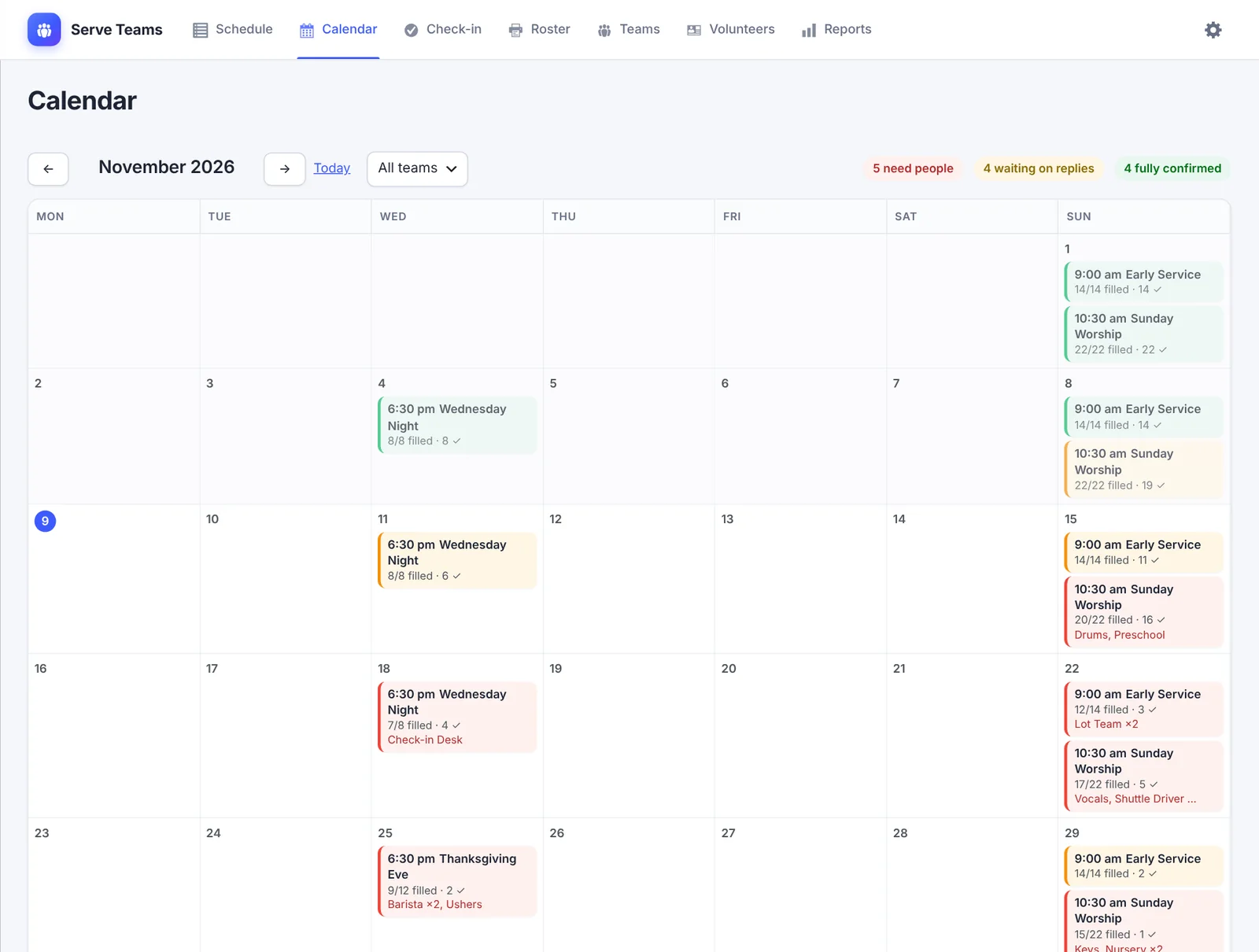
- Calendar invites, plus a calendar feed for iPhone, Google, or Outlook that stays up to date.
- Optional text reminders for people who opt in.
For church staff and team leaders
- Teams as cards. Positions, how many are needed, and how many people can fill each one.
- Auto-schedule for a date range or a single team, with a fair rotation.
- Assign by hand from a list that shows who’s available, and why someone isn’t. Use “Schedule anyway” when you need to.
- Team Leader role. Leaders manage only their own teams.
- Households. Mark family members to serve together, never at the same service, or just grouped.
- Sunday check-in from a phone, marking who’s here and who’s a no-show.
- Reports on coverage, declines, attendance, and who hasn’t served lately.
- Printable rosters, CSV import, and an interest form for new volunteers.
Your data stays on your site
Volunteer names, emails, and schedules are stored in your own WordPress database, not on someone else’s service. Email goes out through your site’s normal mail. The only outside service is Twilio, and only if you turn on text reminders.
Requirements
| WordPress | 6.6 or later (tested up to 7.0) |
| PHP | 8.1 or later |
| Text reminders | Optional; needs a Twilio account |
Questions
Do volunteers need an account?
No. Each person gets a private link by email. Anyone who loses theirs can enter their email address on your schedule page and get it sent again.
Can volunteers sign themselves up?
Yes. They can claim open spots in the positions they serve, and offer to help in other positions that week. Leaders can also assign people directly.
How does auto-schedule decide?
It fills the hardest positions first and rotates fairly. It skips anyone who is away, already serving, past their monthly limit, or outside their preferred weeks, and it follows household rules.
We already use Planning Center. Is this a replacement?
For volunteer scheduling, it can be. Serve Teams is for churches that want scheduling on their own website, without another subscription or another login for volunteers.
Can I bring in our current volunteer list?
Yes. Import a CSV with names, emails, phone numbers, and positions.